Plan smarter. Visualize faster. Present with confidence.
AI wedding decor visualization, event budgets and client proposals for wedding planners, decorators and event managers. See the room, price the work and present the plan in one professional workspace.
A free planner account includes one budget and one proposal. AI generation and unlimited professional budgets and proposals unlock on a professional plan. See plans.
Concepts
1–4 per set
Output
1K / 2K / 4K
Budgets
4 currencies
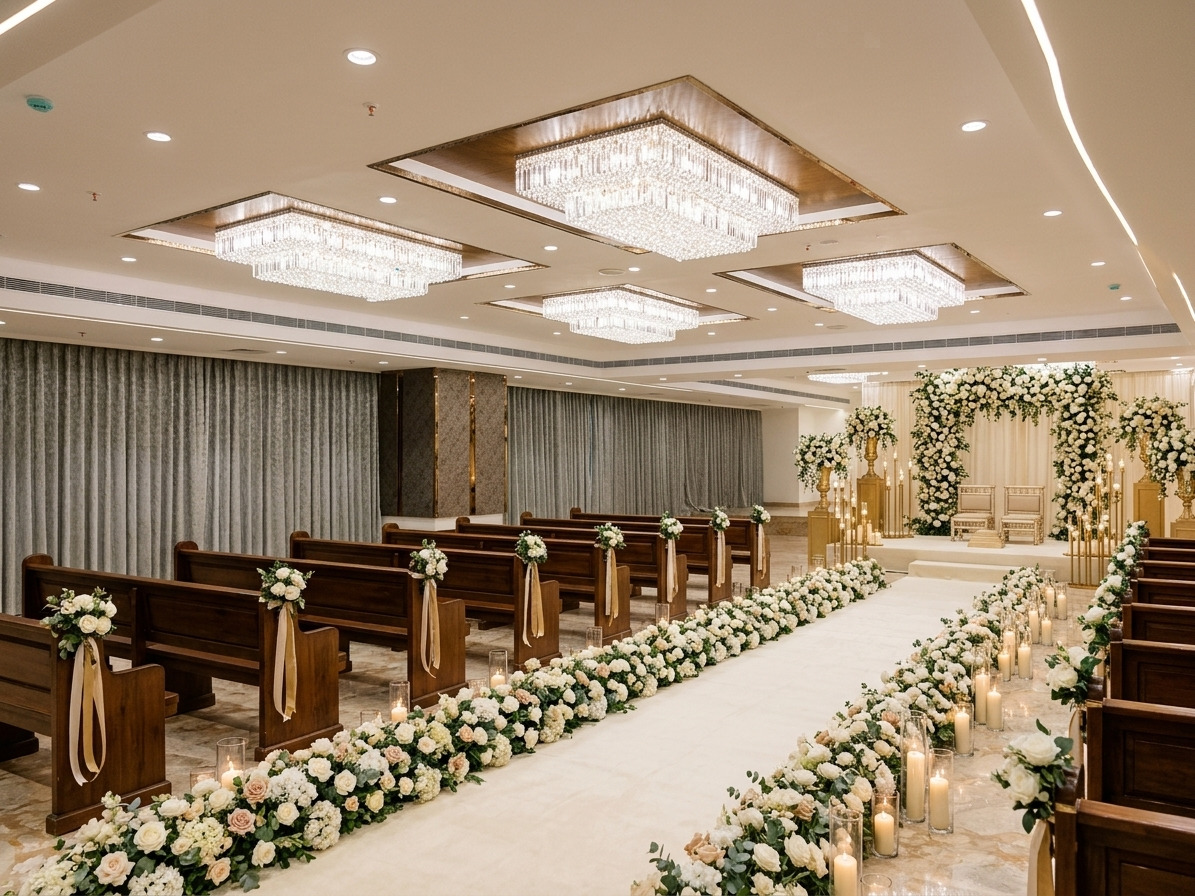
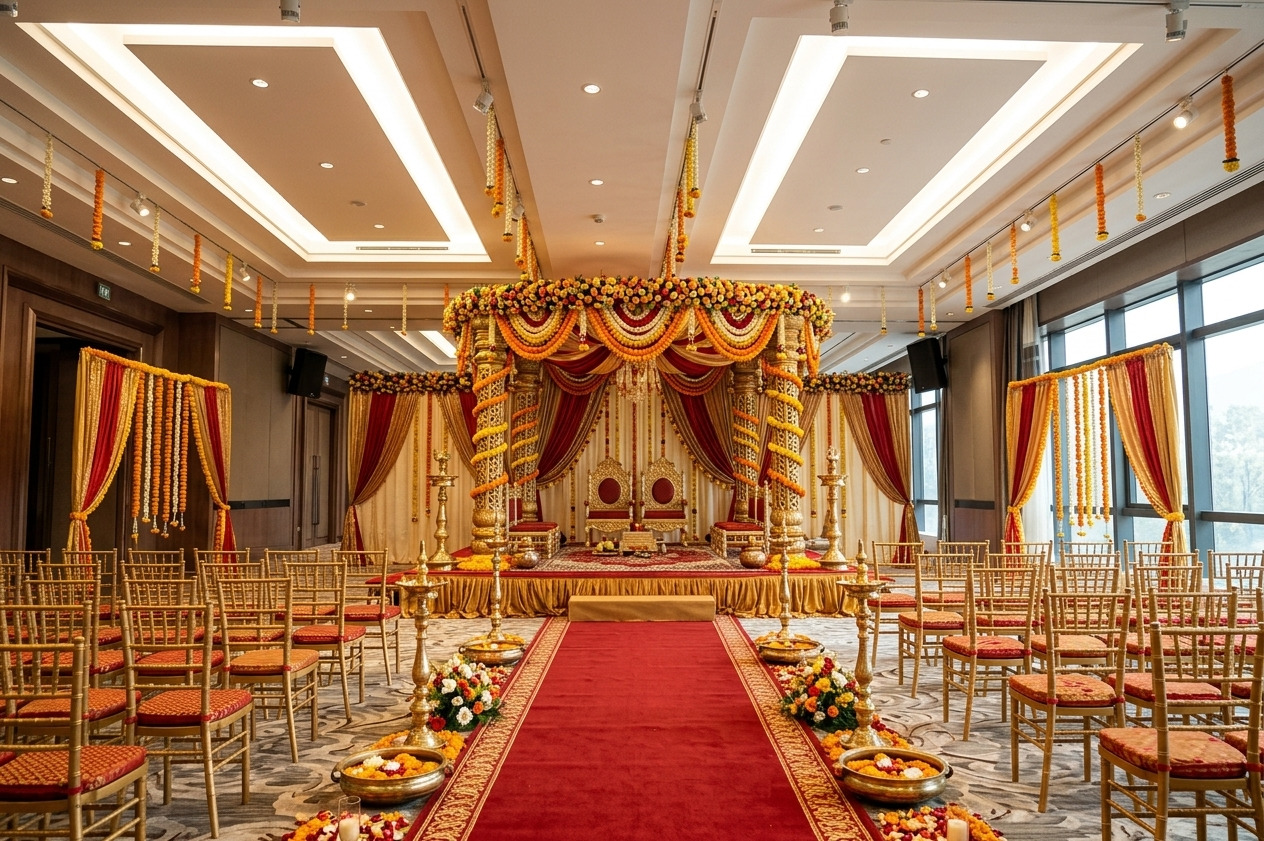
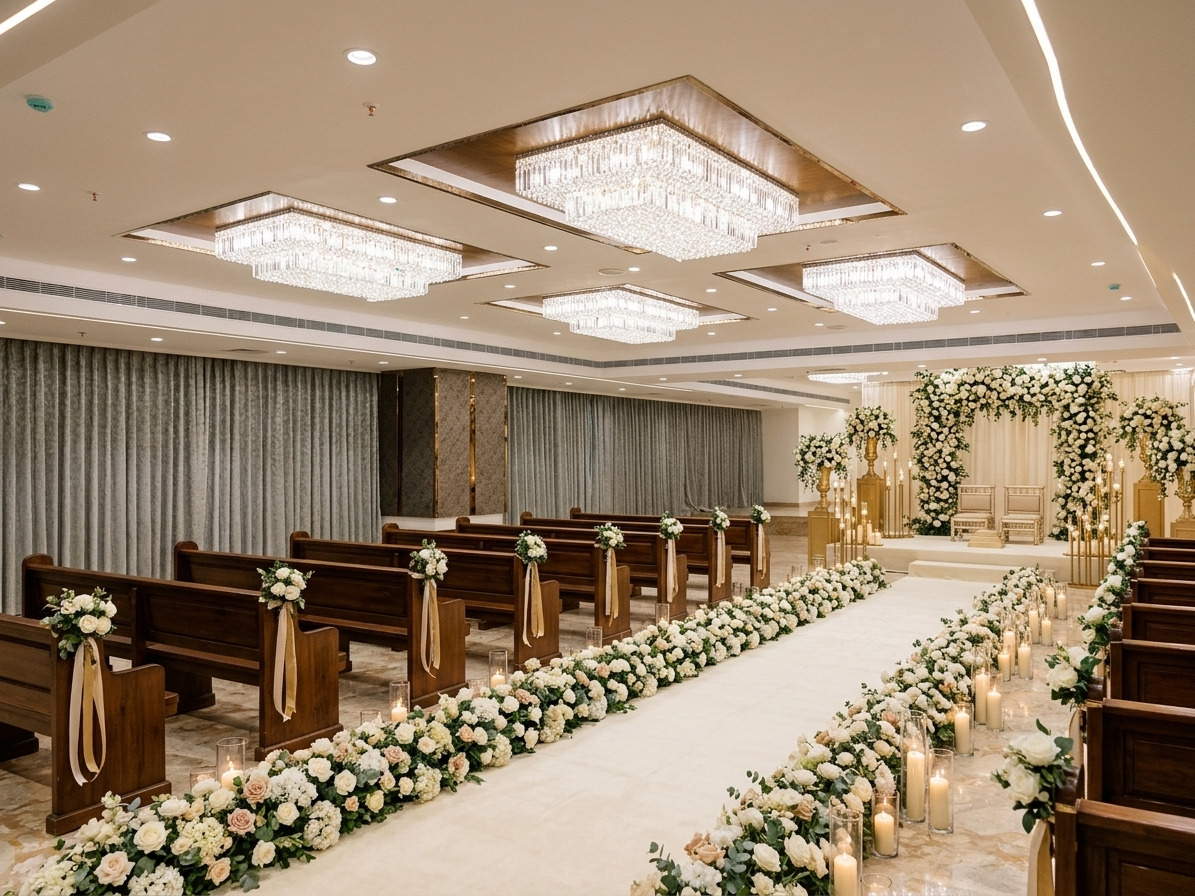
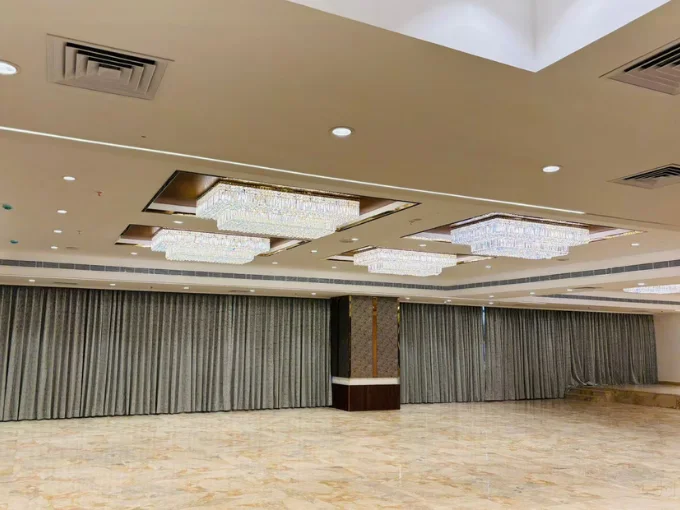
Venue → decorated conceptAI decor
Real venue photo. AI-generated decor concept.Results may vary.
From one venue phototo a concept clients can react to
Client visuals / demonstration
Show clients the vision before the event.
A floor plan and a folder of inspiration images still leave a client guessing. Put the concept on their actual venue, compare directions side by side, and make the decor conversation tangible before deposits and build costs are committed.
Start the conversation with the original room, not a generic template.
Present alternative decor directions from one venue photo.
Give the client a visual anchor for the budget and proposal.
Windowed ballroom — Indian ceremony concept with red and gold draping.
Original venueYour visionDrag to compare
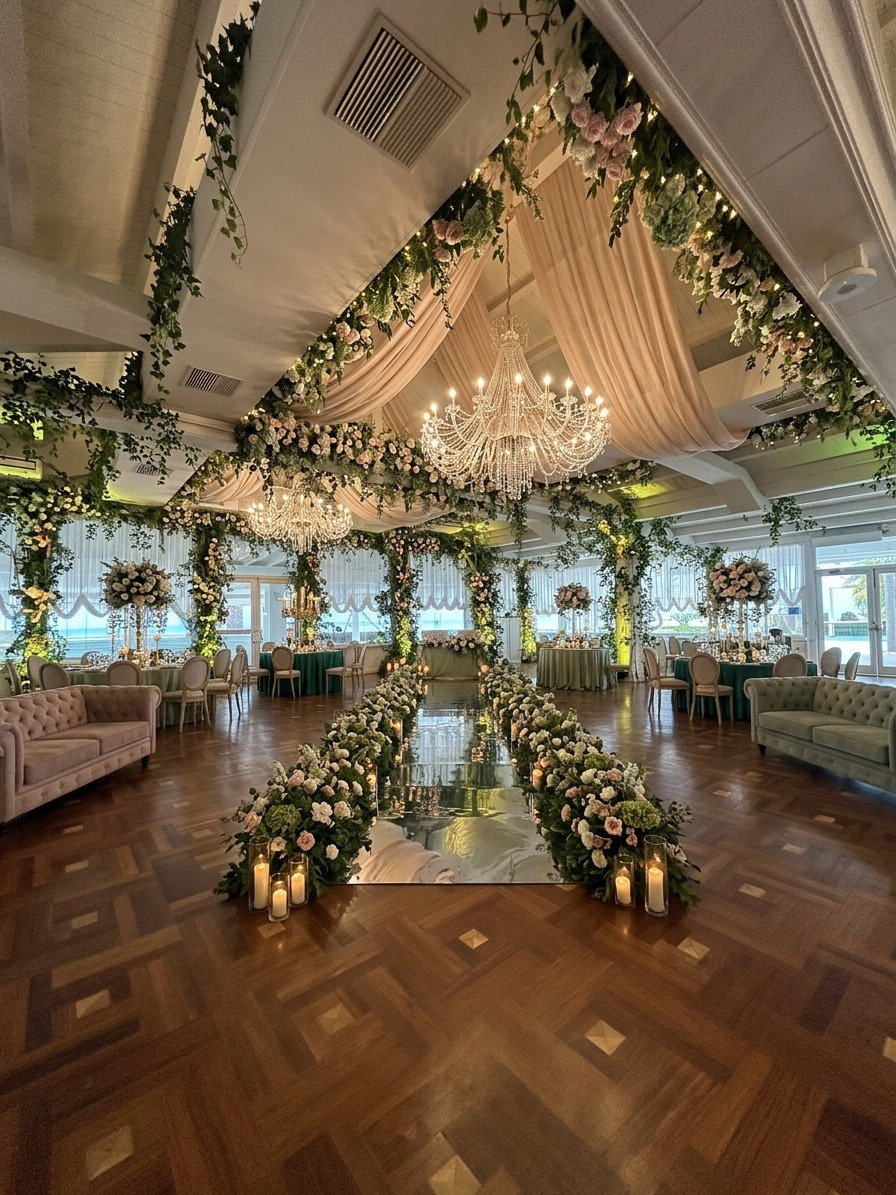
Chandelier ballroom — Reception concept with a golden ceiling and red floral walls.
Original venueYour visionDrag to compare
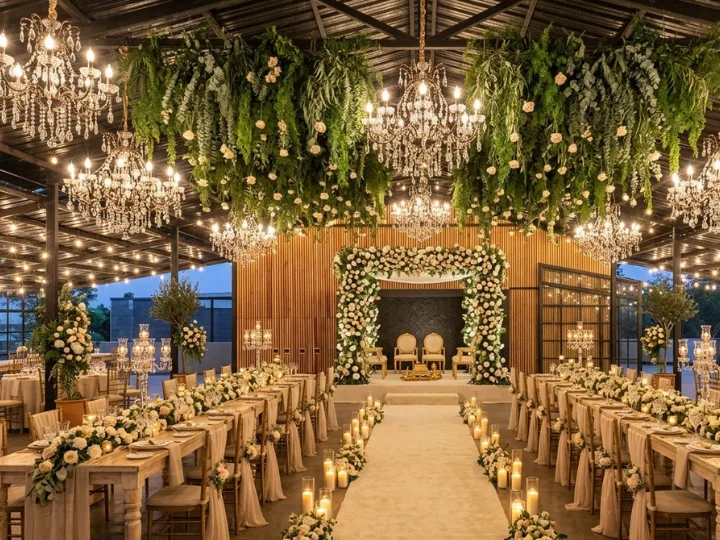
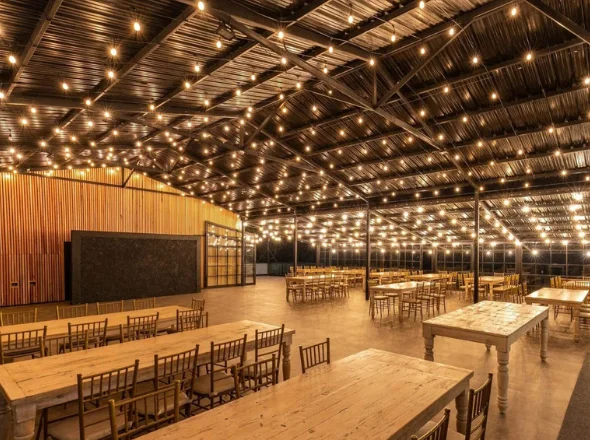
Rustic pavilion — Garden ceremony concept with hanging greenery and chandeliers.
Demonstration comparisons created from existing WeddingCanvas venue concepts. Camera framing and styling may differ. AI concepts are visual references, not exact renders or construction documents.
Who it is for
Built for the people who have to make the room real.
Wedding planners and event managers work with different calendars, clients and financial risks. The workspace is the same; the way you use it is not.
01 / Wedding planners
Sell the look before the build.
Give couples a clear visual starting point while the decisions are still open. Then keep the supplier costs, client pricing and proposal narrative in the same professional workspace.
Generate one to four decor directions from a single venue photo.
Match a reference style from past work, a mood board or a client inspiration image.
Build a budget with supplier costs, client prices, payments and margin visibility.
Turn client-price lines into a private proposal you can print or save as PDF.
Run corporate events, conferences, private parties, galas and weddings without mixing their numbers. Each event gets its own budget, currency and proposal.
Set a target budget, track actuals, allocate contingency and watch the projected total.
Record supplier payment status and outstanding balances per line item.
Build proposals with scope, milestones, investment and a payment schedule.
Work in USD, GBP, EUR or INR without combining totals across currencies.
Put the concept on the actual room, not a generic template.
Price
Keep supplier cost and client price in one event budget.
Present
Turn the scope and numbers into a private client proposal.
01 / Visualize
Wedding decor visualization software that starts with your venue.
AI wedding venue design is more useful when it respects the room you are actually working with. Upload one clear venue photo, then shape the direction with a theme, a written prompt or a set of quick suggestions.
Nine starting themes, from Sage and Coastal to Traditional Temple and Royal Palace.
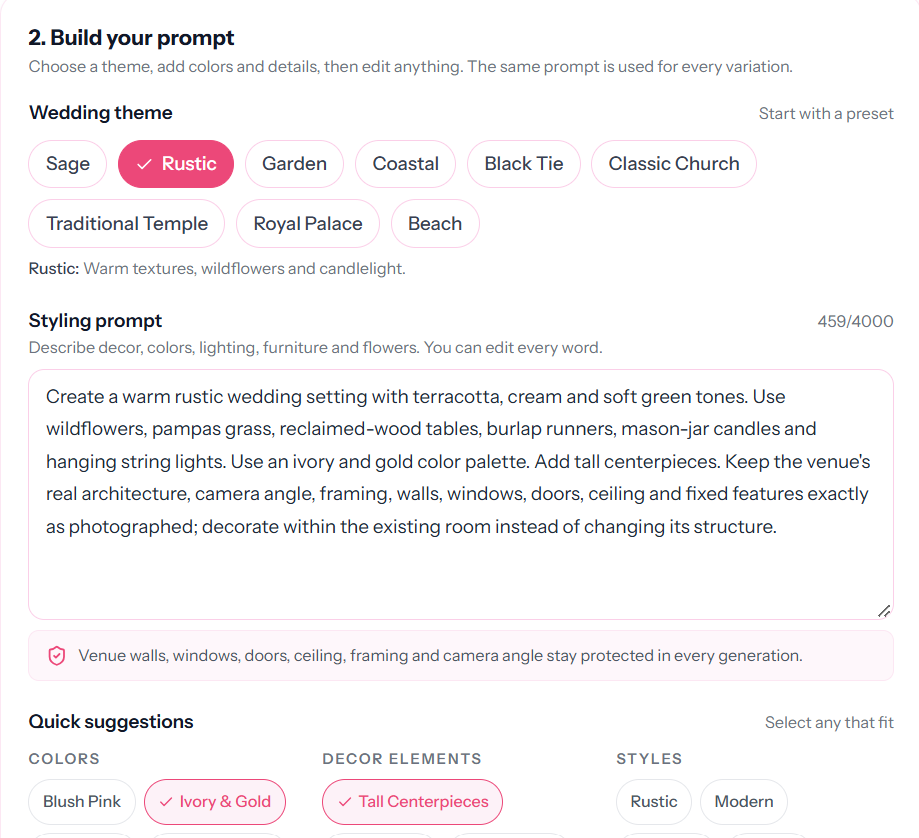
Edit the prompt directly, or add colors, decor elements and styles from the suggestion bank.
Generate one to four coordinated variations so a client can compare directions, not just one take.
1K, 2K and 4K output. Failed or timed-out generations are refunded automatically.
The room stays. The decor changes. Prompts are designed to preserve the venue architecture, camera angle and framing. Review the result before ordering or building.
WeddingCanvas / AI Decor
Prompt builder
The prompt builder: theme presets, an editable prompt and quick suggestions for colors, decor and style.
Style Match: reference images on the left, the applied concept on the right.
02 / Match a reference
Match a reference style, not a generic theme.
The brief often starts with “like this, but in our venue.” Style Match is built for that conversation: upload the venue and reference photos, and let the AI read the palette, textiles and decor language before applying the direction to the real room.
Use your own reference photos: past work, a mood board or a client inspiration image.
See the extracted direction applied to the venue, instead of starting from a blank theme preset.
Style Match uses 2 credits per image; 4K adds 2 more.
Results are visual references and may vary. Confirm materials, scale and availability with your supplier before committing.
03 / Refine
Refine the room in a drag-and-drop editor.
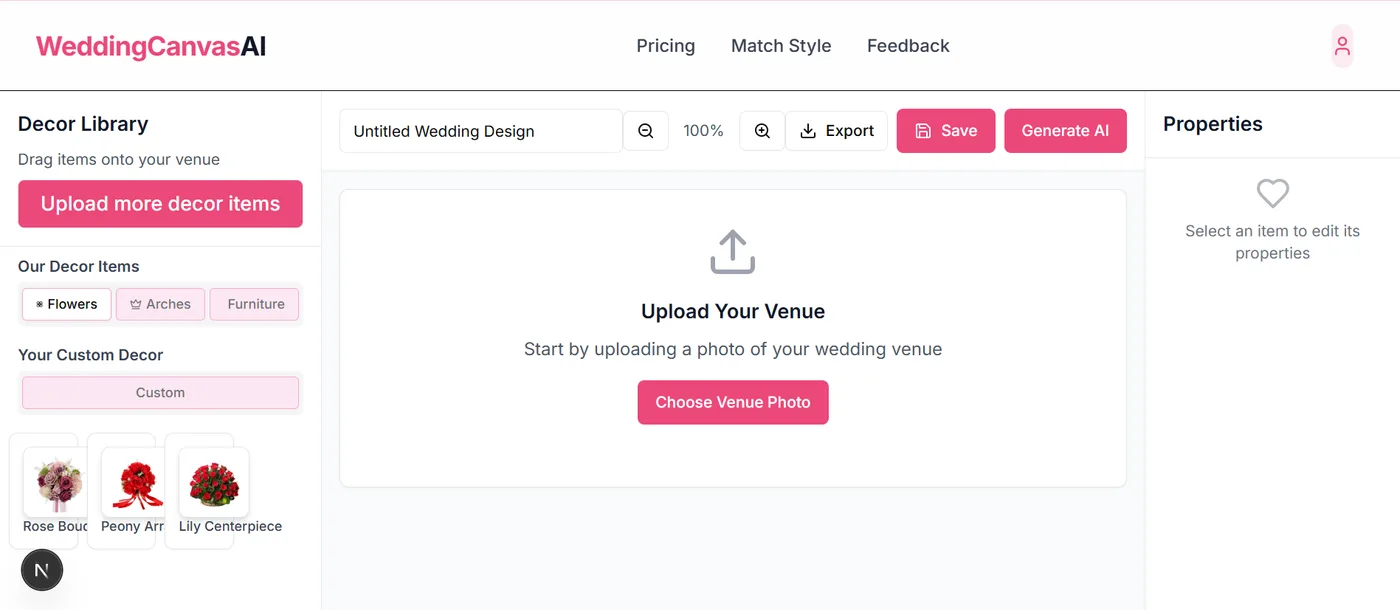
Not every detail should be left to a prompt. Open a concept in the editor, drag decor items onto the canvas, adjust properties, save the project and export the layout when it is ready.
The manual drag-and-drop editor is free, including the decor library and property controls.
Use Editor AI for AI-driven edits inside the canvas; it uses 5 credits per operation.
Save projects and export the finished layout for a client presentation.
The editor: decor library, canvas, property controls and export.
04 / Price & present
The business side of the room.
If you already use wedding planner software for contacts and pipelines, keep it. WeddingCanvas is AI wedding planning software for the visual concept and the client-facing numbers around it: an internal event budget and a private proposal.
Internal workspace
Event planning budget software, one event at a time.
Separate each wedding, conference, gala or private party into its own budget. Track the target, supplier costs, client pricing, actuals, payments and margin without mixing currencies.
Target budget, projected cost, actuals, remaining budget and contingency.
Supplier payment status, outstanding balances and overdue warnings.
Client price and estimated gross margin per line, category and event.
CSV export and an internal print report for your team.
Workspace preview · example figures
Aisha & Rohan · Wedding
USD
Target
$85,000
Projected cost
$78,400
Remaining
$6,600
Client price
$92,000
Gross profit
$13,600
Gross margin
14.8%
2 supplier payments overdue · 1 line over estimate
Illustrative figures, not customer data.
Budgets are internal-only. Supplier costs, markup, margin and internal notes never appear in a client proposal.
Client-facing document
Wedding client proposal software, without the supplier-cost leak.
Bring the concept, scope, timeline and investment into one polished document. Build it from scratch, reuse a template or import client-price lines from a budget.
Introduction, event brief, concept, services, deliverables, exclusions, assumptions and terms.
Line-item investment with discount, fee and tax controls.
Project milestones plus a proposed deposit, balance and payment schedule.
Reusable templates, print layout and save-as-PDF workflow.
Proposal preview · example figures
Garden wedding · Concept & delivery
WCP-2026-8F2A
Investment
$92,000
Deposit
$27,600
Balance
$64,400
Payments
3 scheduled
Guests
120 estimated
Valid until
30 days
No supplier costs, markup or margin in this document.
Illustrative figures, not customer data.
Proposals are private to your account. WeddingCanvasAI does not send email, create public share links, collect e-signatures or process client payments.
How they connect: start a proposal from scratch, a template or a budget. When you import from a budget, only client-facing prices are copied. Supplier costs, markup, margin and internal notes stay in the internal budget.
05 / The workflow
From a venue photo to a client-ready plan.
The visual, the numbers and the proposal stay in one professional workspace. You still choose the direction, set the price and decide what the client sees.
01
Start with the brief
Upload the venue and note the client requirements, constraints and direction.
02
Explore concepts
Generate one to four decor variations, or apply a reference style with Style Match.
03
Refine the room
Open a concept in the editor to adjust the layout, decor and details manually.
04
Price the event
Set the target, supplier costs and client price, then check payments and margin.
05
Present the plan
Build a private client proposal and print or save it as a PDF when ready.
No automatic client hand-off: proposals are private to your account. You print or save them as a PDF and share the file yourself. WeddingCanvasAI does not send email, create public proposal links, collect e-signatures or take client payments.
Clear about the boundary
Know what you are buying.
WeddingCanvas is deliberately focused. That keeps the visual workflow, budgets and proposals connected, and keeps the page honest about what is not included.
Internal event budgets with supplier costs and margin
Private client proposals with print / PDF export
What it is not
Not a CRM, contact pipeline or contract manager
Not an e-signature or public proposal-sharing tool
Not invoicing or client payment collection
Not a supplier marketplace
Not a guarantee of bookings, revenue or exact renders
Professional plans
Published prices, clear credit allowances.
Every professional plan unlocks AI generation and unlimited professional budgets and client proposals. A free planner account can create one of each first. Credits are the unit of AI usage; the prices and allowances below come from the same plan definitions used at checkout.
Wedding Planner Monthly
Monthly
$39/ month
100 credits per verified billing period
Monthly credit allowance for working planners.
100 credits per verified billing period
Unused monthly credits expire at the end of the period
1K and 2K output have no resolution surcharge. Monthly credits reset each verified billing period and unused monthly credits do not carry over. One-time credits never expire.
Planning your own wedding?
The Couples plan is $9 one-time for 21 credits. It is designed for a couple planning one wedding and does not include professional budgets or proposals.
Prices are in USD. Payments are processed by Dodo Payments. Create an account first; checkout opens after you sign in. AI-generated previews are visual references and results may vary.
Questions, answered
What planners ask before starting.
Is WeddingCanvasAI a CRM or an all-in-one planning platform?
No. It is AI wedding decor visualization software with professional event budgets and client proposals. It does not manage contacts, pipelines, contracts, invoicing or payment collection, so you can keep the CRM or operations tools you already use.
Which plan unlocks professional budgets and proposals?
A free planner account can create one budget and one proposal. All three professional plans then unlock unlimited budgets, unlimited proposals and reusable templates: Wedding Planner Monthly at $39 per month, Wedding Planner Pass at $89 one-time and Event Planner Monthly at $149 per month. The $9 Couples plan does not include professional budgets or proposals.
How do credits work?
Basic AI Decor uses 1 credit, Style Match uses 2 credits and Editor AI uses 5 credits. A 4K output adds 2 credits; 1K and 2K have no resolution surcharge. Monthly plans include 100 or 380 credits per verified billing period, and the one-time pass includes 200 non-expiring credits.
Do unused monthly credits roll over?
No. Unused monthly credits expire at the end of each verified billing period. Credits from the one-time Wedding Planner Pass never expire.
Can I use a real venue photo?
Yes. Upload a JPG, PNG or other image file up to 10 MB. You can generate one to four coordinated concepts from the same venue photo, and the prompts are designed to preserve the room architecture, camera angle and framing. Results are visual references and may vary.
What does Style Match do?
Style Match lets you upload a venue photo and reference photos of a style you want to reproduce. The AI reads the palette, textiles and decor language in the references, then applies that direction to the real venue. Results are visual references and may vary.
Can I send a proposal to a client from WeddingCanvasAI?
No. Proposals are private to your account. You can print or save a proposal as a PDF and share it yourself, but the product does not send email, create public share links, collect e-signatures or take payments.
Are supplier costs visible in a client proposal?
No. Proposals are deliberately separated from internal budgets. Supplier costs, markup, margin and internal notes are not copied into a proposal; you choose the client-facing line items and prices.
Can I export budgets?
Yes. Each professional budget can be exported as CSV and printed as an internal report. The report includes supplier costs, payments, warnings and margin, so it is intended for your team rather than clients.
Which currencies are supported?
Each budget can use USD, GBP, EUR or INR. A budget keeps its own currency, and totals are never combined across currencies because WeddingCanvasAI does not perform exchange-rate conversion.
Are budgets and proposals private?
Yes. Professional budgets and proposals are scoped to your account and are not publicly listed or shareable by URL. Review the privacy policy for how project and account data are handled.
How accurate are the AI-generated images?
AI concepts are visual references, not construction documents or exact renders. Lighting, materials, scale and availability can differ in real life. Review the concept with your supplier or venue before ordering or building.
How do I contact support?
Email toptensteff@gmail.com with your account email and a short description of the issue. Do not send client payment details by email.